It's always more convenient to use FTP when sending large files over the Internet. Unlike email attachments, FTP file transfers do not impose file size restrictions. Furthermore, it's possible to select multiple files or entire directories and send them all in one go.
In this post, I'll be featuring 5 FTP server applications that you can install on your Linux machine. Here they are:
1. Filezilla - This is an open source application that runs on multiple platforms. As of this writing, Filezilla not only supports FTP, it also supports secure file transfer protocols, particularly: FTPS and SFTP. Having the option to use secure file transfer protocols can be a huge benefit for organizations operating in heavily regulated industries.
2. JSCAPE MFT Server - This is a proprietary solution. However, it does have a free edition. Strictly speaking, JSCAPE MFT Server is classified as a managed file transfer server. Meaning, it supports a wide range of file transfer protocols (many of which are secure) and enterprise-class file transfer functionalities such as server to server file transfer, DLP, auto virus scanning, password policy enforcement, and others.
3. CrushFTP - Another proprietary solution, CrushFTP is also capable of supporting multiple file transfer protocols and (like JSCAPE MFT Server) can run on various platforms like Linux, Mac OS X, and Windows.
4. ProFTPD - This is another open source solution. ProFTPD is basically a terminal based application but many third parties have developed GUIs (graphical user interfaces) for it. It is built for Unix-based platforms and hence can also run on AIX, OpenBSD, and Mac OS X.
5. Pure-FTPd and vsftpd - These two are usually the default FTP installations that come with popular Linux distributions. Both are primarily terminal based.
To send a file using FTP, you would need an FTP client. You use the client to connect to the server and navigate through the server's directories (only those you are authorized to access). You also use it to upload and download files.
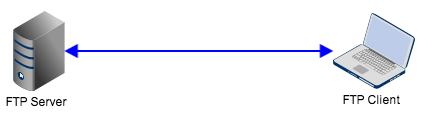
If you don't know how to send files via FTP, don't worry. It's easy. Here's a simple How-To guide: How To FTP a File.
Showing posts with label Linux distros. Show all posts
Monday, September 23, 2013
Monday, November 1, 2010
What is today's most popular linux distribution?
Linux distributions are operating systems that are based on the Linux kernel. With this simplified definition in mind, then perhaps the most popular Linux distribution is Android, the leading smartphone OS in the US, which (as of August 2010) holds a market share of 33%.
Android 2.2 (codename Froyo) is based on Linux kernel 2.6.32, while soon-to-be-launched Android 2.3 (codename Gingerbread) is based on Linux kernel 2.6.33. But is it really the most popular Linux distribution? We head out to Distrowatch.com and see where it stands.
Distrowatch, which ranks the popularity of Linux distributions based on page hits, does not include Android on its list. The top 10 Linux distributions there, as of this writing and with data based on the last 6 months, are:
1. Ubuntu
2. Fedora
3. Mint
4. OpenSUSE
5. Debian
6. PCLinuxOS
7. Mandriva
8. Sabayon
9. Arch
10. Puppy
Now, these are desktop operating systems, which explains why Android is nowhere to be found. Since I’d really like to find out where Andoid stands among other Linux distros in terms of popularity, I’ve decided to consult Google about it. For this simple exercise, we’ll now head out to Google Trends, enter Android and the top 10 distros found in Distrowatch and see what happens.
Here’s what we got. The first Google Trends graph is based on data taken across all regions and since the first recorded data until today. The second graph, on the other hand, is based on all regions and over the last 12 months.
Android 2.2 (codename Froyo) is based on Linux kernel 2.6.32, while soon-to-be-launched Android 2.3 (codename Gingerbread) is based on Linux kernel 2.6.33. But is it really the most popular Linux distribution? We head out to Distrowatch.com and see where it stands.
Distrowatch, which ranks the popularity of Linux distributions based on page hits, does not include Android on its list. The top 10 Linux distributions there, as of this writing and with data based on the last 6 months, are:
1. Ubuntu
2. Fedora
3. Mint
4. OpenSUSE
5. Debian
6. PCLinuxOS
7. Mandriva
8. Sabayon
9. Arch
10. Puppy
Now, these are desktop operating systems, which explains why Android is nowhere to be found. Since I’d really like to find out where Andoid stands among other Linux distros in terms of popularity, I’ve decided to consult Google about it. For this simple exercise, we’ll now head out to Google Trends, enter Android and the top 10 distros found in Distrowatch and see what happens.
Here’s what we got. The first Google Trends graph is based on data taken across all regions and since the first recorded data until today. The second graph, on the other hand, is based on all regions and over the last 12 months.
![]() |
| Google Trends Most Popular Linux Distribution (all years) |
![]() |
| Google Trends most popular Linux distribution (12 mos) |
Based on Google searches, Ubuntu has been consistently on top since the second quarter of 2006. Android started its run in early 2009 (that’s only last year) and proceeded with a steep ascent early this year, overtaking Ubuntu in the process.
So there you have it. Based on searches alone, the most popular Linux distribution as of this day is Android.
Related posts:
One Android to rule them all
Why Android for 2010
Books related to this post:
Labels:
android,
Fedora,
Linux distributions,
Linux distros,
Mint,
OpenSUSE,
ubuntu
Subscribe to:
Posts (Atom)

